Mac · iPhone · iPad
What are you doing today?
One calm board for your day. Today, Backlog, Done. Nothing else.
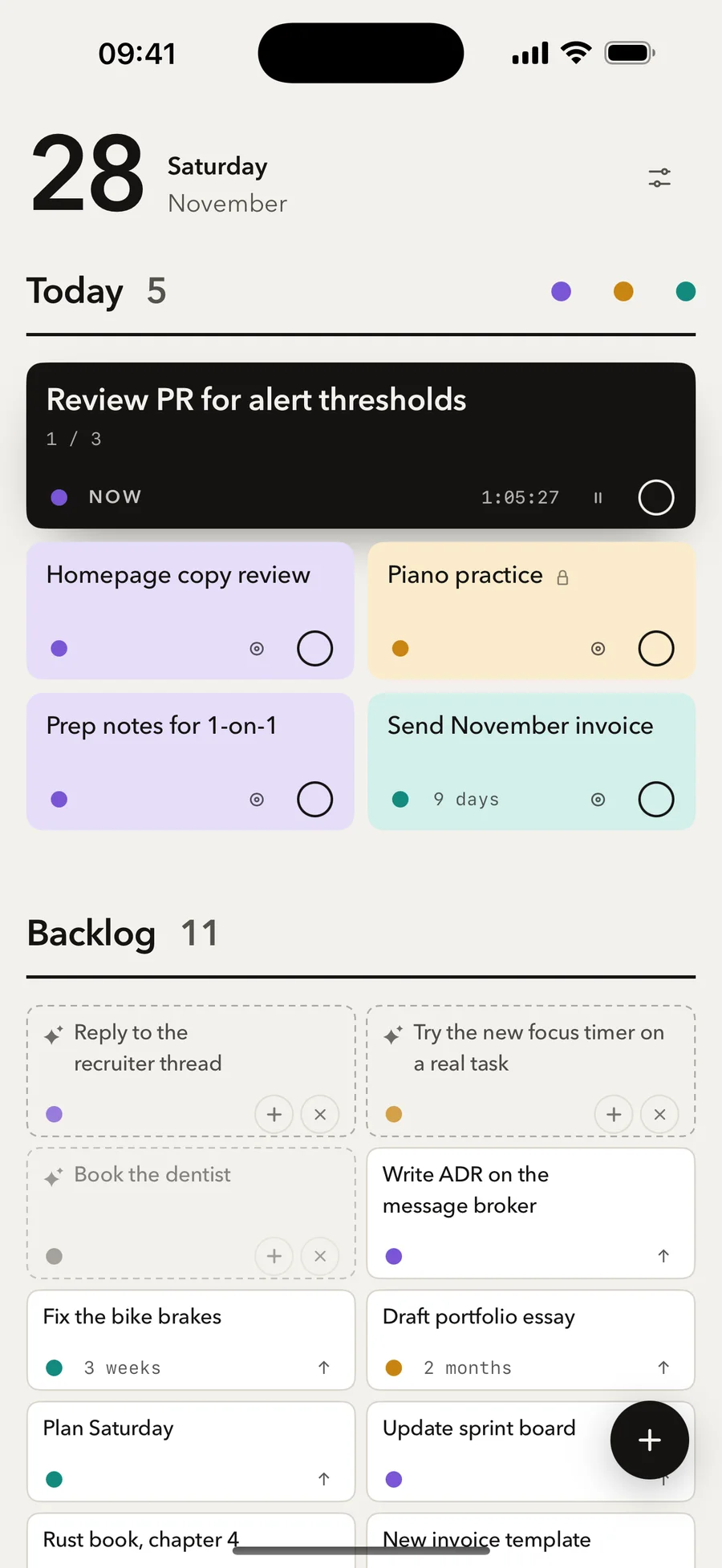
The board
Today. Backlog. Done.
No times, no estimates, no calendar. Throw cards into Today, tick them off, and watch Done grow through the day.
- 1Tick a card off
- 2It glides into Done
- 3Pull the next one up
Focus
One thing. Now.
Put a card in Focus: it turns black, says NOW and counts the time you spend on it. It waits on your Lock Screen and in the Dynamic Island, every time you pick up your phone.
Saturday 28 November
9:41
NOW1:05:27
Review PR for alert thresholds
1 / 3
Colour
Colour is the category.
Work, Personal, Home, or up to six of your own. Tap a colour and its cards come together.
Quick add
Add from anywhere.
On the Mac, ⌥ Space from any app. On the iPhone, the round + button, Siri, Shortcuts or the Action button.
⌥Space ⌘3 ↩
Call the bike shop
⌘1–3 category · tab Today/Backlog⌥ Space anywhere · ↩ add · esc close
Details
Calm, down to the details.
-
Suggestions from your notes
To-dos you jotted in a daily note wait at the top of the Backlog. Add them, or let them go.
-
Cards show their age
A card you keep skipping quietly says how long it has waited. No badges, no streaks.
-
Steps and notes
A checklist and notes inside every card. The card shows how far you are.
-
“Add a task in Nowboard”
Siri and Shortcuts
Add a task or finish your focus without opening the app. In English and Spanish.
-
Deleted “Plan Saturday” · Undo
Delete without worry
No “are you sure?”. A deleted card fades where it stands, and Undo brings its file back exactly as it was.
-
Private
No account, no analytics, no servers. Nowboard makes no network requests.
Mac · iPhone · iPad
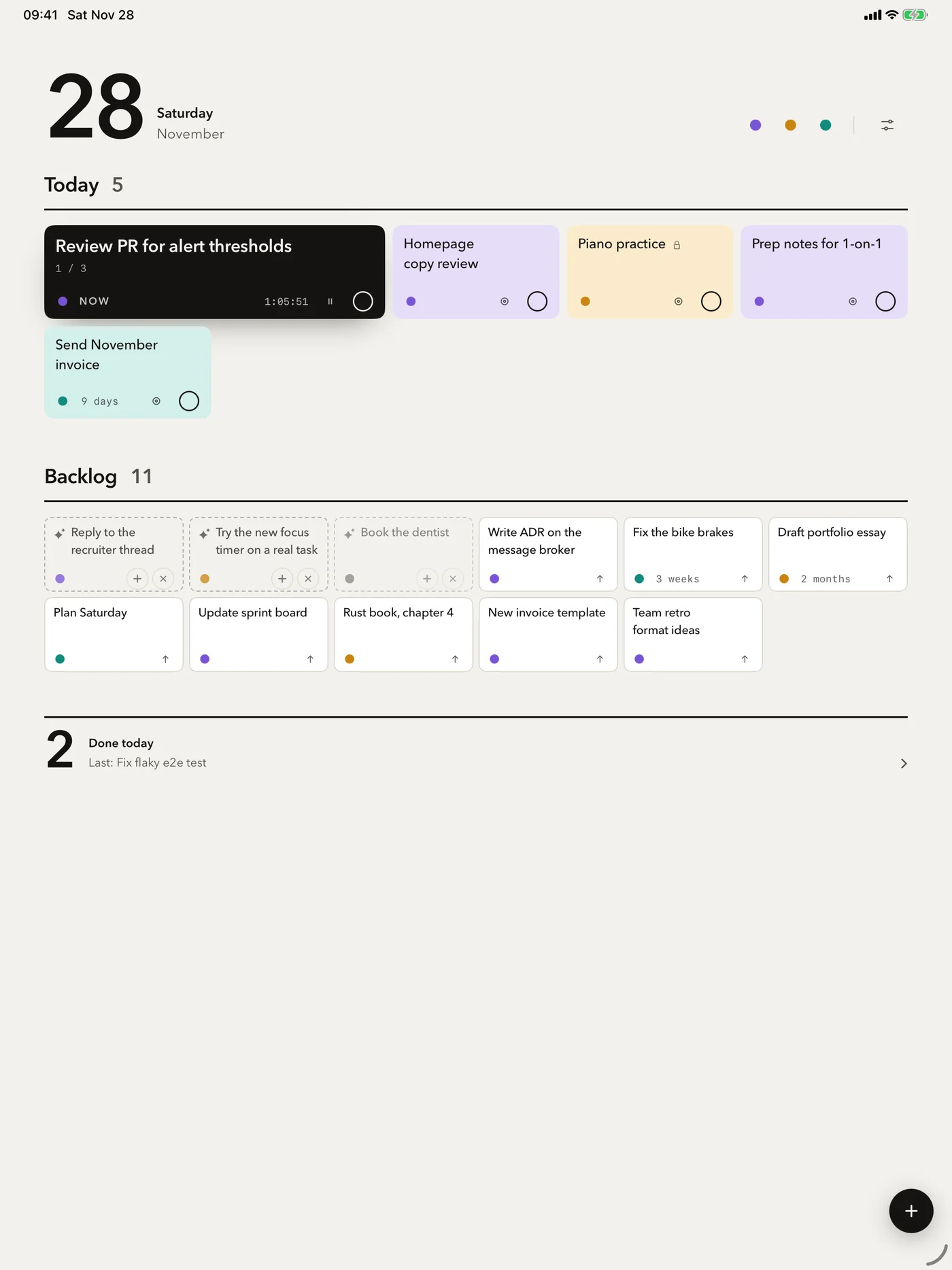
The same board, everywhere.
Every device reads the same folder in iCloud Drive. Tick a card on your phone and it's gone on your Mac.
 Works with Obsidian
Every card is a Markdown file.
Point Nowboard at a folder in your Obsidian vault. Each task is a small Markdown file with a few lines of frontmatter: edit it in Obsidian, from Shortcuts or with an AI agent, and the board keeps up.
No Obsidian? Nowboard keeps the same files in iCloud Drive or on your iPhone. No account, no lock-in.
Today's done list in your daily note (Dataview)
```dataview
LIST FROM "Notes/Tasks"
WHERE status = "done" AND dateformat(default(done, file.mtime), "yyyy-MM-dd") = this.file.name
SORT default(done, file.mtime) ASC
```Themes
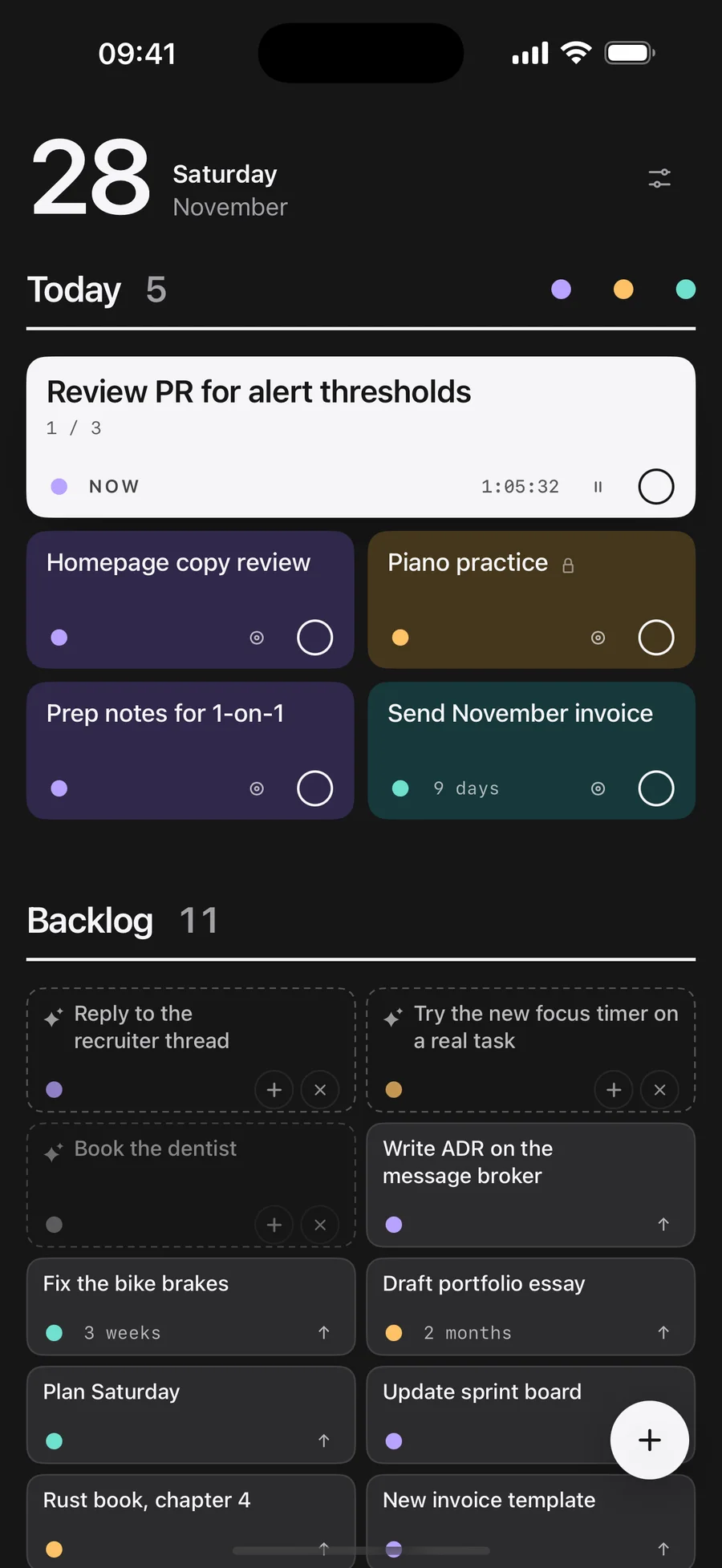
Nine themes. Try one.
After Dieter Rams, Jony Ive, Charles and Ray Eames, and soft pastels. Light and dark. This whole page follows.

Plan. Focus. Done.
No account · No tracking · Your Markdown files